Hockey Stick Guide
Every option that goes into a Marvic stick, in plain terms. Use it while you build yours, or see what makes a custom hockey stick.
Quick Build
Size, length, colors, and text. Everything else is set to our most-ordered specs. A great stick in under a minute.
Full Custom
Every option is yours: flex, curve, kick point, shaft shape, the full grip menu, blade specs, and color.
Guide Tools
Visualize a build, get a recommendation, compare curves, or copy a pro.
Stick Visualizer
Pick colors and see how your custom Marvic stick will look before you order.
OpenStick Finder
Answer a few questions and we'll recommend the perfect stick specs for your game.
OpenCurve Comparison
Compare all 14 blade patterns side by side. Filter by type, face angle, and play style.
OpenBuild Like a Pro
See what curves the pros use and build one just like your favorite player's.
OpenFlex Calculator
Enter your weight and position and get the exact buildable flex, plus the size it lands in.
OpenCompare Two Curves
Put any two blade patterns side by side on face, toe, and lie, then build the winner.
OpenStick Sizing
How we define Junior, Intermediate, and Senior, keyed to flex with the real cutoffs.
OpenLength Guide
How to size your length, plus every length we build from Junior to Senior.
OpenKick Point Guide
Low, Mid, Hybrid, and High, and which load point matches how you shoot.
OpenBlade Patterns
Your curve shapes every shot, pass, and toe drag. Skim the essentials here, or compare all 14 side by side in the Curve Comparison tool.
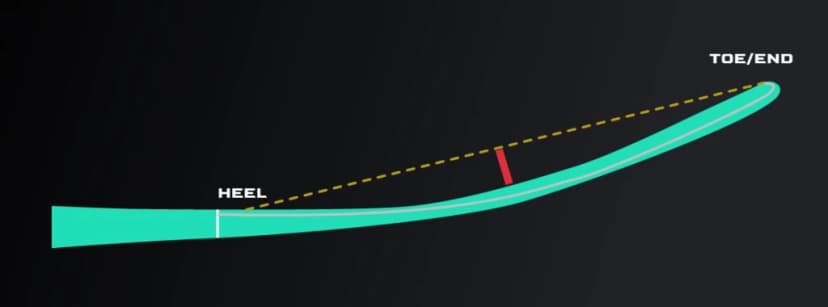
How Curve Depth is Measured
Browse all 14 blade patterns
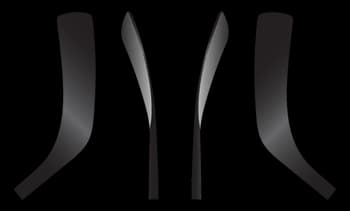
MH02
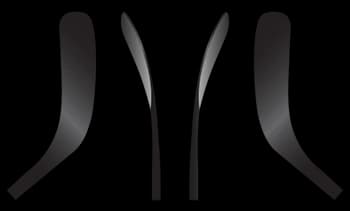
MH9
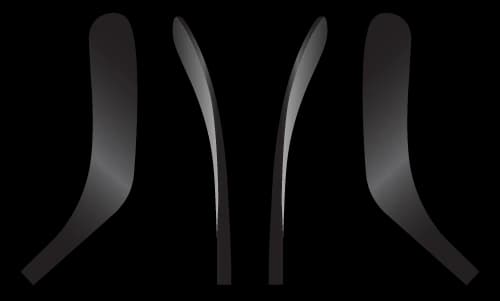
MH14
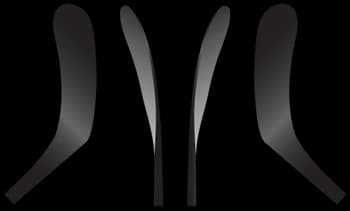
MH28
MH28M
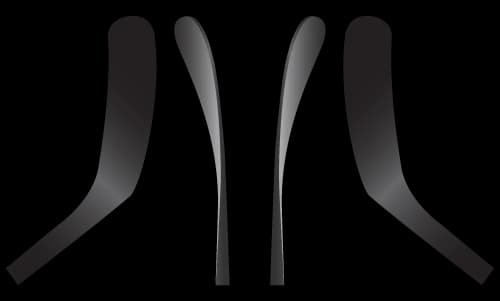
MH77
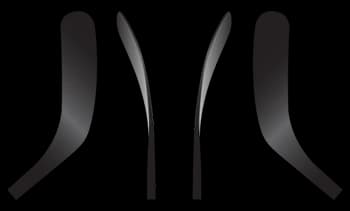
MH88
MH8 Crazy Ovi
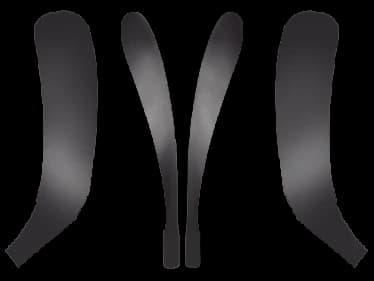
MH90TM
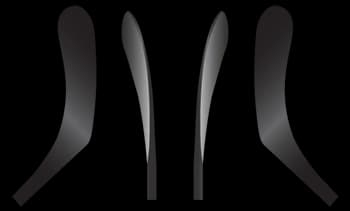
MH91A
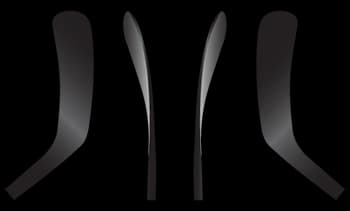
MH92
MH92M
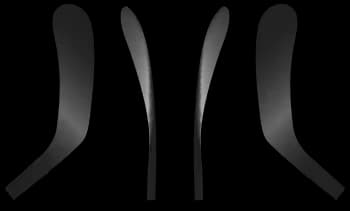
MH86
NEW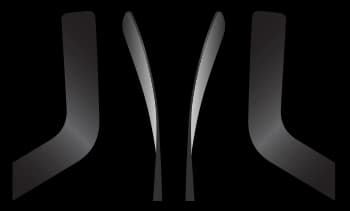
MH31 Goalie
Colors and Finishes
Every stick has three color zones - upper shaft, mid shaft, blade - plus the Marvic logo, and you can add your name or number and a flag near the butt end. Pick a finish family, then your colors. Every color, and any Pantone code, is included at no upcharge. The default is Clear Carbon Black, the bare carbon weave.
Near the butt end, on the edge
 SMITH
SMITHUpper Shaft
The part you hold, and the most visible. This is where your main color reads.
Mid Shaft
The transition zone. On a two-color build the mid color carries down onto the blade.
Blade
Hosel down to the toe. On Carbon Weave the blade takes the tint or stays bare Clear Carbon (your choice); on a painted build it is painted.
Logo
The MARVIC wordmark on the upper shaft. Always a separate pick (see Logo Finishes below).
Name and Number
Your name, number, or any text, lasered onto the upper-shaft edge near the butt end (see the tag on the stick).
Flag
An optional country flag sits on that same edge, just above your text.
Finish Families
How each finish reads across the shaft, mid, and blade. The strips below show a typical build.
Clear Carbon Black
The bare carbon weave. This is the default if you pick no color.
Natural, near-black carbon across all three zones. No paint.
Carbon Weave, one color
A see-through tint over the raw weave.
A single see-through tint can cover all three zones. You can leave the blade (or any zone) bare Clear Carbon Black if you want - our stock does.
Carbon Weave, two colors
Two tints split across the stick.
Shaft is color one; the mid is color two and always carries onto the blade. Color two can be a tint, bare Clear Carbon, a Pantone, or a White/Black paint - as long as one section still shows the carbon.
Metallic
A bright color over a Brushed Silver base.
The silver base shines through for a metallic look across the whole stick. Leave it bare for raw Brushed Silver.
Pantone, one color
Solid, opaque paint over the whole stick.
Covers every zone including the blade. White, Black, or any color, matched by the factory. Pantone can also be split into two colors - see the next card.
Pantone, two colors
Two solid paints split across the stick.
Shaft is color one; the mid is color two and always carries onto the blade - the same split as a two-color Carbon Weave, but both are solid opaque paint. Each color is a Pantone, White, or Black. (Wood is whole-stick only.)
Wood
A natural wood-grain finish.
One opaque grain over the whole stick. Whole-stick only.
One- and two-color builds
One color can cover all three zones, or leave a zone (often the blade) bare Clear Carbon. Two color: the upper shaft is color 1, the mid and blade together are color 2. On Carbon Weave the mid section's color carries onto the blade - a see-through tint tints the blade, bare Clear Carbon leaves it bare, and a Pantone paints it; on Full Paint the blade is painted color 2.
A two-color Carbon Weave can pair two different see-through tints, or mix carbon with a solid Pantone, a White or Black paint, or bare Clear Carbon on the other section - as long as at least one section shows the carbon: a see-through tint or bare Clear Carbon. The builder labels each section so a solid is never mistaken for see-through. Typing an exact Pantone code costs the same as picking a swatch; only Wood is whole-stick only.
Team and bulk orders can run a different color on each zone, a finish outside this catalog, or a mixed roster. Start a team order inquiry →
Carbon Weave Tints
See-through tints over the raw weave.
Metallic
A Brushed Silver base, bare for raw silver or with any tint sprayed over it for a shiny metallic look.
Pantone
Opaque and vivid, covering the whole stick. White, Black, and any Pantone color work whole-stick or as one section of a two-color build.
Wood
A natural wood-grain finish, opaque like Full Paint. Whole stick only.
Logo Finishes
The logo color and finish on the upper shaft, picked separately from the stick color. Laser and ripple-laser finishes.
Sizing Guide
Stand the stick against a wall, blade flat on the floor. Measure from the floor to the butt end of the shaft.
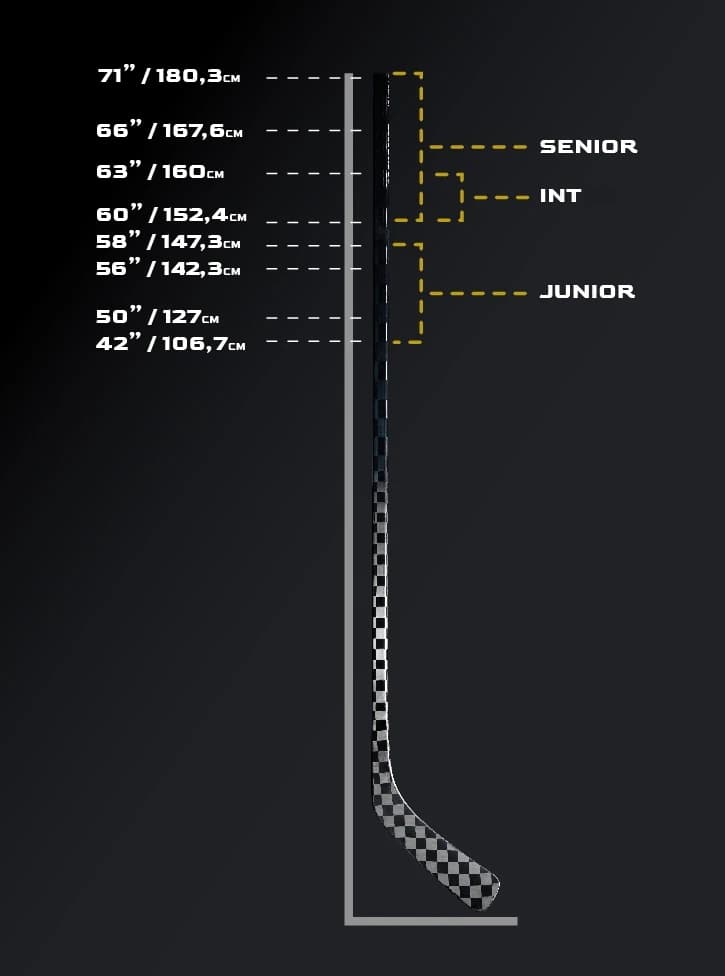
Length Measurement
Junior
Intermediate
Senior
Goalie paddle sizing (21" - 28")
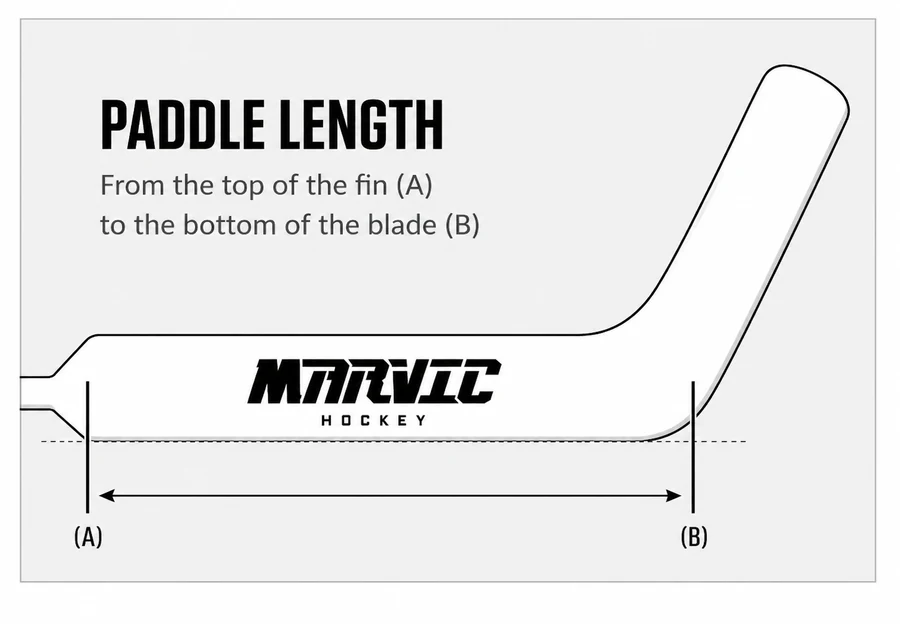
Paddle Length Measurement
Junior
Senior
Measure from the top of the fin (A) to the bottom of the blade (B). Oversize paddles carry an upcharge, shown above.
Shaft Shapes
How the shaft feels in your hands. Each shape offers different grip and control.
Senior: pick one in the builder
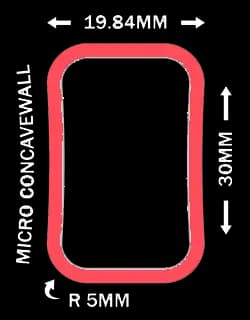
Standard
Traditional rounded rectangular cross-section. The classic feel most players are used to.
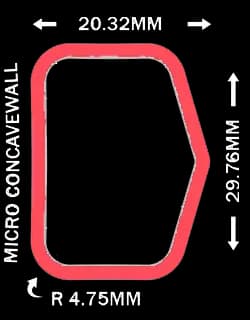
Penta
Five-sided cross-section with flat walls for improved grip and puck feel.
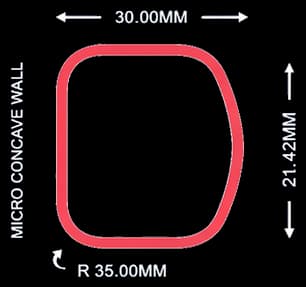
Arc
Rounded ergonomic profile. Natural hand position, reduces fatigue on longer shifts.
Intermediate & Junior shafts (auto-assigned)
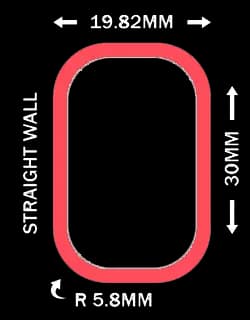
V3
IntermediateSlimmer cross-section for intermediate hands. Ships on every V3 intermediate stick.
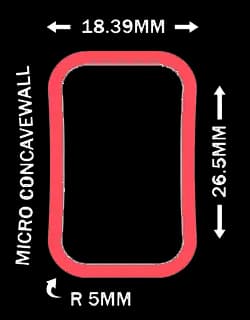
Junior
JuniorThinner shaft for smaller hands. Built into every Junior mold.
ARC silver-foil decal (free add-on, Arc shaft only)
Pick the Arc shaft and you can opt in to a translucent silver-foil ARC decal behind the shaft logo. Free, per stick, on Arc player sticks only.
Spec note: the decal switches the shaft and blade carbon weave from 18K to 24K. Skip it and your Arc stick stays on 18K.
Grip Options
Every grip is a Surface (how sticky the shaft feels) plus an optional Pattern laid on top. The tack comes from the surface; patterns are personal taste. Quick Build keeps it to grip on or off; Full Custom opens the whole menu.
Surfaces, tackiest to slickest
- SoftTouch: strongest grip, most tack
- Matte Grip: medium sticky
- No Grip: no tack, smooth
Surfaces
controls stickiness, no pattern overlay
3 optionsSoftTouch Grip
Player + GoalieSoftTouch surface (strongest tack) with no overlaid structure - a clean, low-profile rubberized coating. The tackiest option we offer.
Matte Grip
Player onlyMatte Grip surface (medium sticky) with no overlaid structure. A restrained, middle-of-the-road tack - noticeably grippier than bare carbon but less tacky than SoftTouch.
No Grip
Player + GoalieMatte surface (no tack, smooth) with no structure overlay. Slick finish for players who tape their own grip, and goalies who prefer a free-moving paddle that rotates in the glove.
Browse all 2 grip patterns
Full-Face
cover the whole shaft, layer on any surface
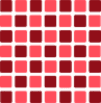
Basketball
Player + Goaliealso known as "3D Square Grip"
Also known as "3D Square Grip" - SoftTouch surface (strongest tack) with a Basketball structure: a blocky raised square pattern that bites into the glove palm. Maximum tactile feedback; used on goalie paddles and players who want the grippiest feel.
Corner
sit only on the shaft edges
Fishbone Corner Grip
Player onlySoftTouch surface (strongest tack) with a Fishbone Corner structure - a raised pattern concentrated along the shaft corners for a distinctive feel without coating the full face.
Kick Point
Where the shaft flexes during a shot. It sets how energy transfers from your hands to the puck.
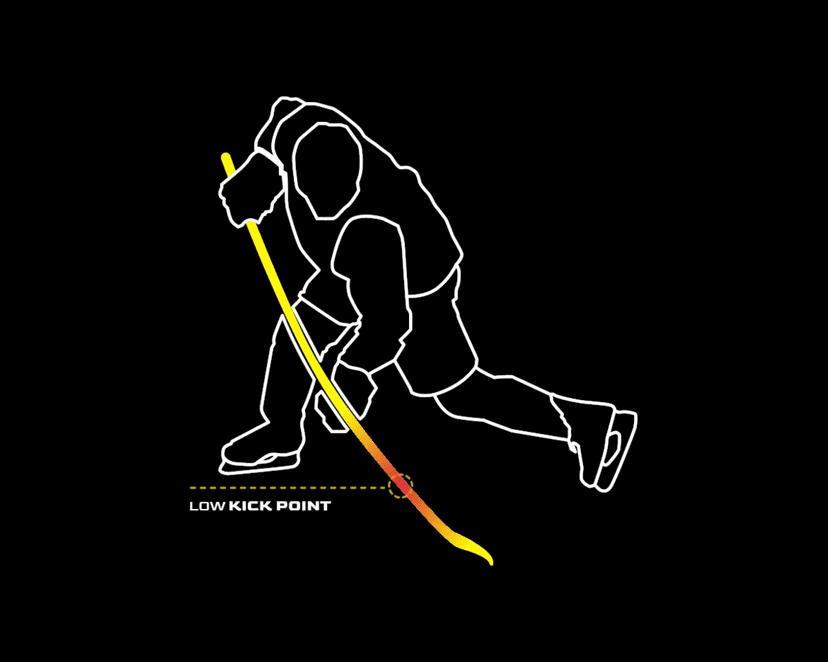
Low Kick
Flex point near the blade for lightning-fast wrist and snap shots. The shaft loads and releases quickly for a rapid release. Best for forwards who shoot in tight.
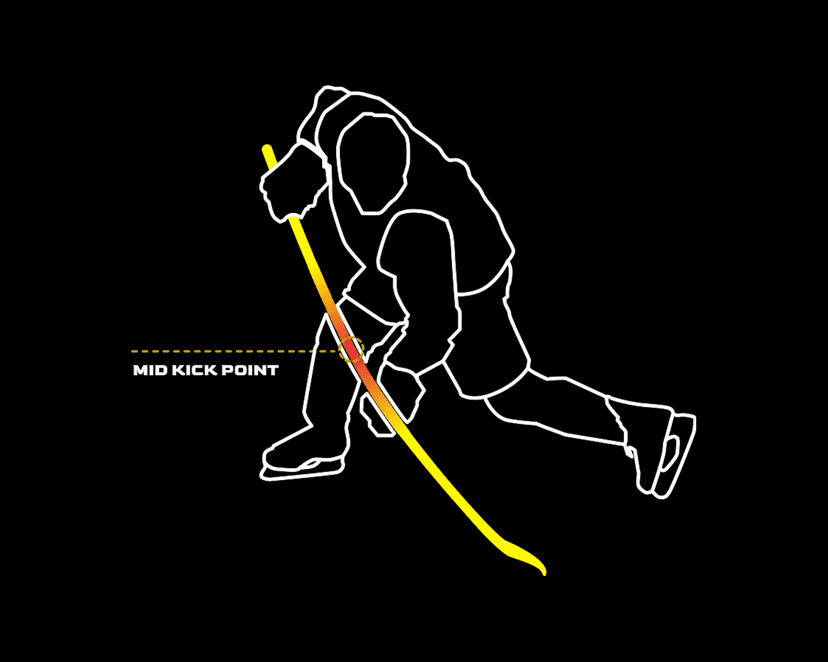
Mid Kick
Flex point in the center of the shaft for maximum power. Stores more energy for harder slap shots and one-timers. Best for defensemen and power shooters.
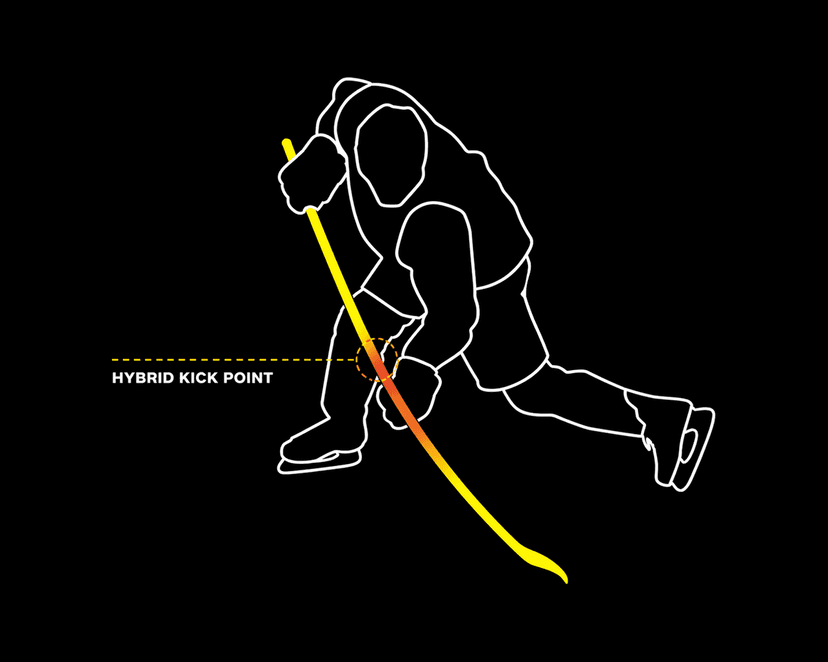
Hybrid Kick
A dynamic flex for two-way players. The flex point shifts with your lower hand: toward the center for slap and snap shots, closer to the blade for wrist shots. Quick release and power without compromising either.
Blade Specs
Fine-tune your blade's stiffness and surface texture for your play style.
Blade Hardness
Blade Surface
Flex Rating
Flex is the force needed to bend the shaft one inch at a standard 40" length; a lower number is whippier. Quick rule: divide your body weight by two, then go softer for a quicker release or stiffer for more power.
Flex Range by Category
Junior
60-100 lbs body weight
Intermediate
100-150 lbs body weight
Senior
150+ lbs body weight
Length and build weight
Length changes feel. Cutting a stick shorter makes it feel stiffer; adding length makes it feel softer. A 75 flex at 66" feels different than the same flex cut to 62".
Build weight follows the flex, not the size label. A stiffer flex (70 and up) builds around 350g; a softer flex (65 and under) around 330g, a touch lighter and quicker. Senior and Intermediate overlap on flex, so you can order either from 55 to 70, and the weight tracks the flex either way (a Senior at 65 flex weighs the same 330g as an Intermediate). Junior flexes keep their own lighter builds.